Collaboration Tools for Business In 2024, teamwork needs to be smooth and easy. For businesses to succeed, good collaboration is essential. Here, we look at Collaboration Tools for Business that can make teamwork faster, smarter, and more organized. Each tool has unique features to help teams work together, whether they are sitting in the same office or spread across the globe.
Why Collaboration Tools for Business Matter
Collaboration tools help teams talk, share files, and manage tasks in one place. When team members can communicate well, they can get their work done quicker and better. These tools make it simple to check project updates, track tasks, and solve problems together. Let’s explore the top tools for collaboration in 2024!
1. Slack
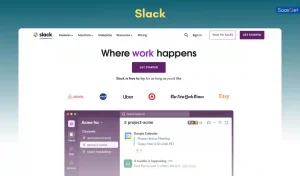
Slack is popular for team messaging. With Slack, you can send messages, share files, and create channels for different projects or teams. It also supports voice and video calls. Slack integrates with many other tools, so you can bring all your work into one place.
Key Features:
- Text, voice, and video messaging
- Channels for team discussions
- Easy file sharing
- Integrates with tools like Google Drive, Trello, and more
Best For: Businesses of all sizes looking for simple, fast communication.
2. Microsoft Teams
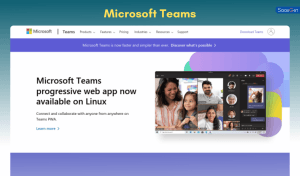
Microsoft Teams is great for businesses that already use Microsoft products. It combines chat, video calls, and file sharing in one app. With Microsoft Teams, you can work on documents together in real-time.
Key Features:
- Integrated with Office tools (Word, Excel, PowerPoint)
- Secure file sharing and storage
- Channels for organizing team workspaces
- Easy video conferencing
Best For: Businesses that use Microsoft Office and need a unified platform.
3. Flock

Flock is another messaging app, similar to Slack but with some different features. It’s user-friendly and includes video calls, file sharing, and integrations. Flock focuses on making communication fast and easy.
Key Features:
- Text, voice, and video calls
- Task management within chats
- File sharing and search options
- Integrates with tools like Google Drive and Asana
Best For: Small to medium-sized teams who want a simpler interface.
4. Asana

Asana is a tool for project management. It helps teams track tasks, set deadlines, and organize projects. You can create task lists, assign work, and set reminders for upcoming deadlines. Asana makes it easy to see who is doing what and when.
Key Features:
- Task and project management
- Calendar view for deadlines
- Team communication within projects
- Integration with Slack, Google Drive, and more
Best For: Teams that need clear task tracking and organization.
5. Trello

Trello uses boards, lists, and cards to help teams manage tasks. Each project has a board where you can see all tasks in one place. You can add comments, attachments, and due dates to each card.
Key Features:
- Visual boards for easy project tracking
- Customizable lists and cards
- Collaboration within each task
- Integrations with tools like Slack and Google Drive
Best For: Teams looking for a visual way to organize tasks.
6. Monday.com

Monday.com is a project management tool with colorful, easy-to-use boards. You can customize it for any workflow, and it helps teams stay organized with tasks, updates, and deadlines.
Key Features:
- Customizable project boards
- Automated reminders and task tracking
- Team updates and real-time collaboration
- Integrations with popular tools like Slack and Zoom
Best For: Businesses of any size needing a flexible project management platform.
7. Google Drive
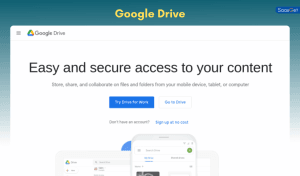
Google Drive is a cloud storage service that allows teams to store, share, and work on documents together in real time. It’s perfect for sharing documents, spreadsheets, and slides.
Key Features:
- Cloud storage with access from anywhere
- Real-time collaboration on Google Docs, Sheets, and Slides
- Secure sharing options
- Easy to use and integrate with other Google tools
Best For: Teams that need to store and work on files together remotely.
8. Dropbox

Dropbox is another cloud storage solution. It’s easy to use and integrates well with other tools. Dropbox is ideal for teams who need to share large files securely.
Key Features:
- Cloud storage with large file sharing
- Integration with many apps and services
- Offline access and document editing
- Version history for tracking changes
Best For: Teams needing reliable cloud storage and file-sharing.
9. Box
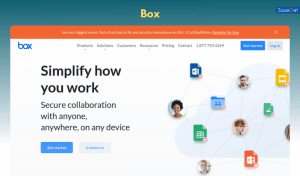
Box is a secure cloud storage tool, popular in industries like healthcare and finance where data security is crucial. It has advanced features like encryption and access control.
Key Features:
- Secure cloud storage with two-factor authentication
- Easy file sharing and collaboration
- Access control for secure sharing
- Integration with Microsoft Office and Google Workspace
Best For: Teams that prioritize data security and need advanced storage options.
10. Zoom

Zoom is a leading video conferencing tool. It’s easy to set up meetings, share screens, and chat in real-time. Zoom is widely used for remote work and can handle large meetings.
Key Features:
- Video and audio calls with screen sharing
- Breakout rooms for small group discussions
- Recording options for future reference
- Integrates with tools like Slack and Google Calendar
Best For: Teams needing a reliable, simple video conferencing solution.